Docs & Tools
The Docs & Tools section provides the key references needed to integrate with the Reliable Insights Platform API.
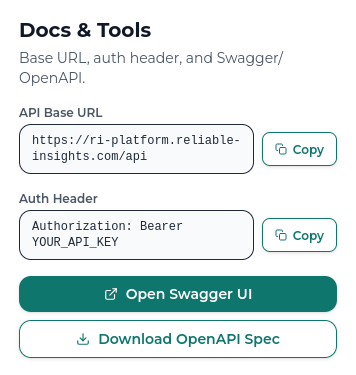
Use this section to copy the API base URL, copy the authentication header format, open the Swagger UI, and download the OpenAPI specification.
API Base URL
The API Base URL is the root address used for API requests.
https://ri-platform.reliable-insights.com/api
Every API endpoint begins with this base URL.
For example, if an endpoint is listed as /health, the full request URL is:
https://ri-platform.reliable-insights.com/api/health
Auth Header
RI Connect uses API key authentication. Each API request must include the API key in the Authorization header.
Authorization: Bearer YOUR_API_KEY
Replace YOUR_API_KEY with the key generated in the API Keys section.
Do not share API keys publicly, commit them to git, or hardcode them into production scripts. Store API keys in environment variables or a secrets manager.
Swagger UI
Select Open Swagger UI to open the interactive API documentation.
Swagger UI shows the available API endpoints, request parameters, response formats, and example requests. It is the best place to check endpoint-level details or test requests while building an integration.
Use Swagger UI when you want to:
- Explore available API endpoints.
- Check required request parameters.
- Review response schemas.
- Test API requests interactively.
- Confirm which endpoint should be used for a workflow.
Swagger UI should be treated as the source of truth for endpoint-level API details.
You can also open Swagger UI directly from RI Connect Swagger UI.
OpenAPI Spec
Select Download OpenAPI Spec to download the machine-readable API specification as a JSON file.
The OpenAPI spec can be used with API tooling, code generators, automated tests, or external documentation tools.
Use the OpenAPI spec when you want to:
- Generate an API client.
- Import the API into tools such as Postman or Insomnia.
- Validate request and response formats.
- Build automated tests against the API contract.
- Share the API structure with development teams.
These documentation pages explain how to access and use RI Connect. For full request and response definitions, use the Swagger UI or downloaded OpenAPI spec.