Starter Scripts
The Starter Scripts section provides downloadable scripts to help you start using RI Connect quickly.
Starter scripts give you a working starting point for common API workflows. They are useful when you want to check your API key, understand the request structure, or adapt an example workflow for your own integration.
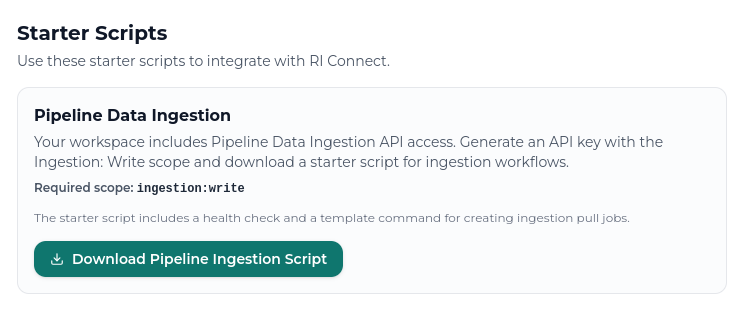
Pipeline Data Ingestion script
The Pipeline Data Ingestion script helps you start building API-based ingestion workflows for Pipeline.
This script includes:
- A health check to confirm that your API key and API base URL are working.
- A template request for creating an ingestion pull job.
- A reusable structure for adding your own request payloads.
The required API key scope is:
ingestion:write
All workspaces can generate API keys with the ingestion:write scope. Other scopes available in RI Connect may depend on your workspace subscription and API access level.
Before running the script
Before running the script, create an API key with the required scope and store it as an environment variable.
export RI_API_KEY="YOUR_API_KEY"
export RI_API_BASE_URL="https://ri-platform.reliable-insights.com/api"
Storing the API key as an environment variable is recommended because it avoids hardcoding the key directly into the script.
Do not commit API keys to git, paste them into public documents, or hardcode them into production scripts.
Running the health check
Run the health check before creating jobs so you can separate connection or authentication problems from workflow payload problems. If the health check fails, fix the API key, scope, or base URL before troubleshooting ingestion requests.
python pipeline_data_ingestion_starter.py health
If the health check succeeds, the script prints a successful API response.
If it fails, check that:
RI_API_KEYis set correctly.- The API key has not expired or been revoked.
- The key has the required scope.
RI_API_BASE_URLis set correctly.
Creating a pull job
The script also includes a create-pull-job command.
python pipeline_data_ingestion_starter.py create-pull-job
Before running this command, update the placeholder payload in the script so that it matches the ingestion workflow you want to create.
The create-pull-job command includes a placeholder payload. Review and update the payload before using it to create real ingestion jobs.
Depending on your workflow, the request may target a union schedule or an individual schedule endpoint. Use the API Swagger for the latest endpoint details, request formats, and response examples.
When to use the starter script
Use a starter script when you want to:
- Test API connectivity.
- Confirm that your API key is valid.
- See the expected authentication format.
- Build a repeatable ingestion workflow.
- Adapt an example script for your own datasource or Pipeline process.